On a phone, press and hold on the graphic to save. On a desktop, right click to save.




Share the Love: Use the hashtag #QCThatsWhere along with one of the QC marks below and post your favorite Quad Cities moments on your Instagram, Facebook, LinkedIn and TikTok.
On a phone, press and hold on the graphic to save. On a desktop, right click to save.
Share why you love the QC! Help spread the word by sharing these downloadable assets. Simply click on the PNG files below to save them to your computer. Then, share at your business or on your own social media accounts. Thank you!
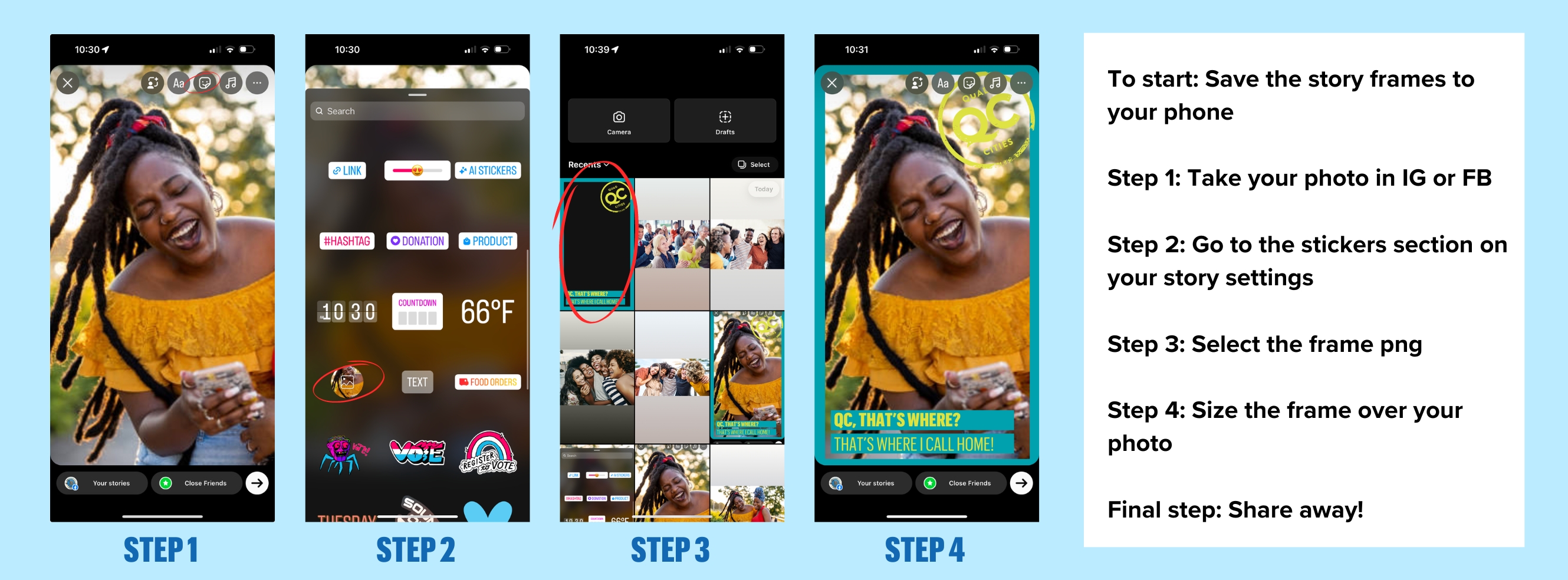
On a phone, press and hold on the graphic to save. On a desktop, right click to save.
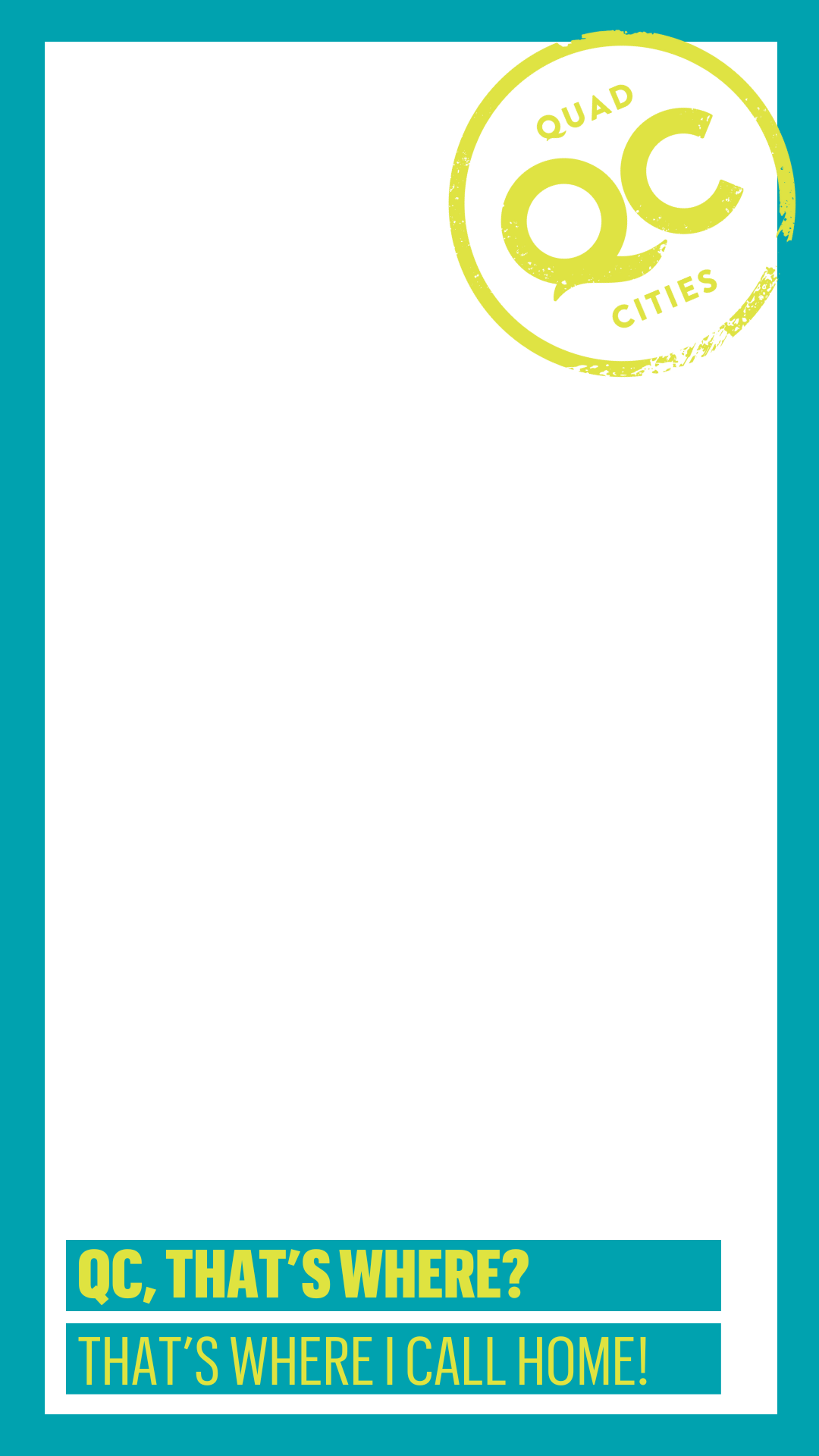
On a phone, press and hold on the graphic to save. On a desktop, right click to save.
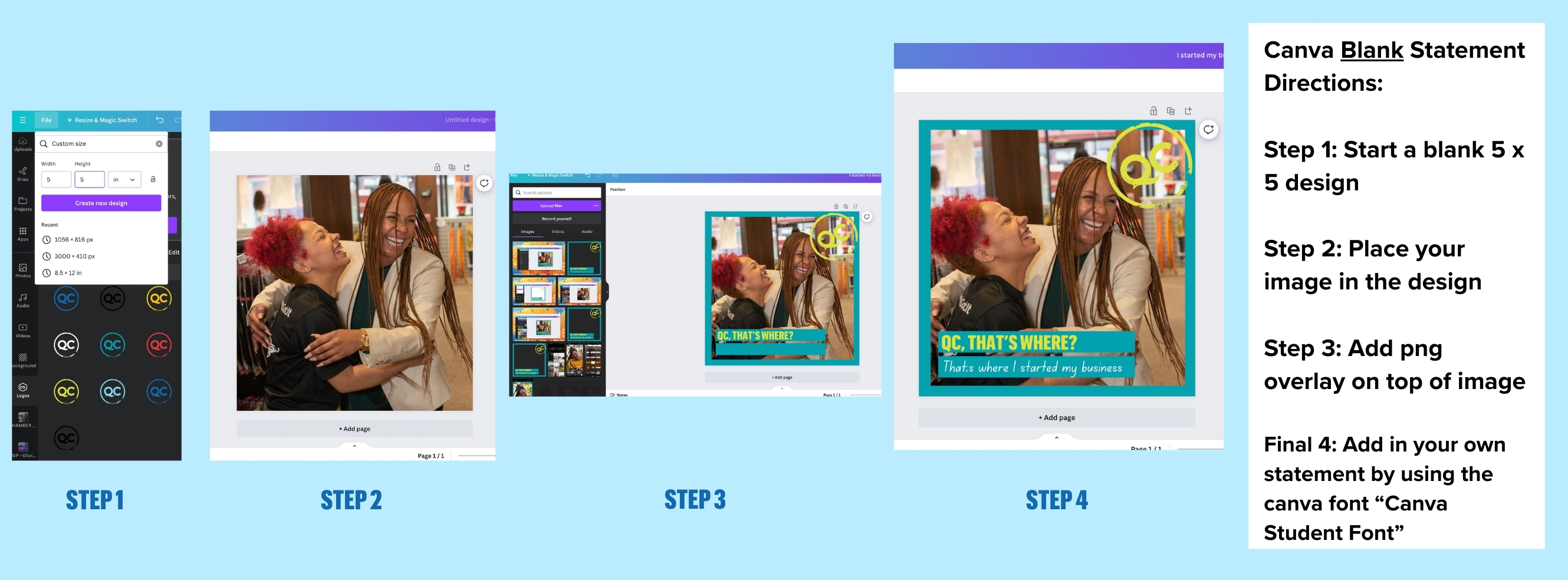
For advanced users with access to Canva, here is a Dropbox link with additional Share the Love options.